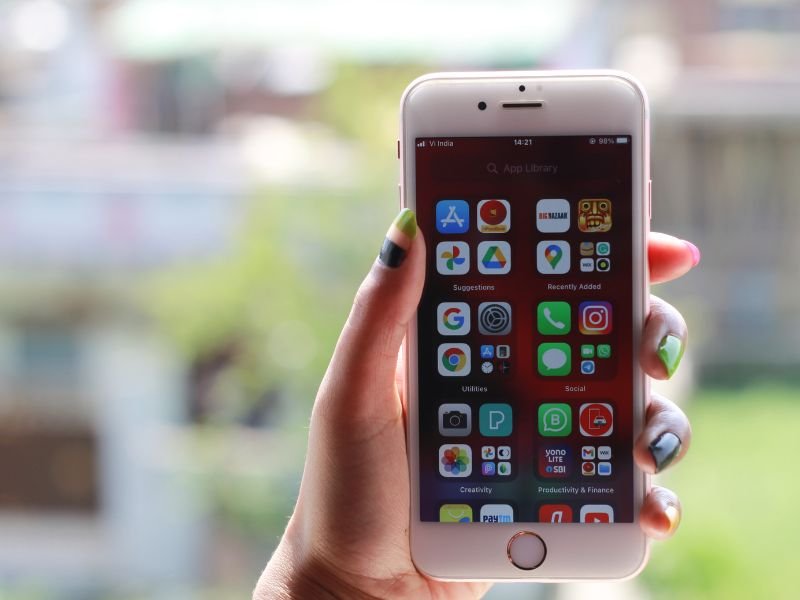
Nigeria’s fintech sector is soaring in 2025, with digital transactions exceeding ₦100 trillion annually, according to the Central Bank of Nigeria (CBN). Apps like Opay, FairMoney, and PalmPay have revolutionised access to instant loans, mobile banking, and remittances, making smartphones—especially iPhones—essential tools for millions of Nigerians. With 85% of internet access via mobile devices (DataReportal 2025), iPhones are gateways to financial services, from paying bills in Lagos to securing loans in Abuja.
However, this fintech surge brings heightened cyber risks. The Cyber Security Experts Association of Nigeria (CSEAN) reported 6.5 million cyberattacks in the first half of 2025, a 153% increase from 2024. Phishing scams mimicking loan apps, malware stealing bank details, and AI-powered deepfake calls threaten iPhone users. The Nigeria Data Protection Regulation (NDPR) mandates safeguarding personal data, and the amended Cybercrime Act of 2024 requires reporting breaches within 72 hours. Failing to secure your iPhone could expose sensitive fintech data—think loan histories or Opay balances—to hackers.
Hiding apps on your iPhone is a simple yet powerful step to enhance privacy, especially for fintech apps handling sensitive transactions. At Gadget Savvy, we’re committed to empowering Nigerians with practical tech tips. This 2025 guide offers step-by-step instructions to hide apps on iOS 18, tailored for Nigeria’s unique needs—budget constraints, power outages, and 5G rollouts. We’ll also connect app privacy to fintech security, drawing on CBN and NITDA guidelines, and suggest iPhones that excel in secure banking.
Whether you’re a student managing tuition via loan apps or a professional tracking transfers, this guide ensures your iPhone stays secure. For more fintech insights, explore our Ultimate Guide to Instant Loans in Nigeria or learn secure connectivity with How to Subscribe Airtel Data.
Why Hide Apps on Your iPhone in Nigeria?
Hiding apps on your iPhone isn’t just about decluttering your screen—it’s a critical privacy measure in Nigeria’s fintech-driven landscape. Here’s why it matters in 2025:
-
Protect Fintech Data: Apps like Opay, FairMoney, and PalmPay store sensitive info (bank details, loan statuses). Hiding them prevents unauthorised access if your phone is lost or shared, reducing risks of phishing (70% of attacks, per Modern Bank Heists Report 2025).
-
Combat Rising Cyber Threats: CSEAN’s 2025 report notes a surge in AI-driven scams, like deepfake calls impersonating bank officials. Hiding apps limits exposure to social engineering, especially on public Wi-Fi in places like Lagos cafes.
-
Comply with NDPR: The Nigeria Data Protection Regulation requires protecting personal data. Hiding fintech apps aligns with NDPR, safeguarding against breaches (10,000+ in fintech, NDPC 2025).
-
Enhance Personal Privacy: In Nigeria, shared devices are common in households or offices. Hiding apps like PalmPay ensures colleagues or family can’t accidentally access your financials.
-
Support Fintech Efficiency: A clean iPhone interface speeds up access to key apps, vital for time-sensitive transactions like loan approvals during power outages.
iPhones are popular in Nigeria—Apple’s market share grew 20% in 2024 (Statista), with models like the iPhone 15 Pro trending for their security features. Hiding apps leverages iOS 18’s privacy tools to keep your fintech interactions safe.
Step-by-Step Guide to Hiding Apps on iPhone (iOS 18)
iOS 18, released in 2024, offers robust tools to hide apps, perfect for securing fintech apps in Nigeria. Follow these steps, optimised for local challenges like data costs and device sharing. (Tested on iPhone 16 and iPhone 15 Pro, available on Jumia Nigeria.)
Step 1: Use the App Library to Hide Apps from Home Screen
-
Locate the App: Find the fintech app (e.g., Opay) on your iPhone’s home screen.
-
Long-Press: Press and hold the app icon until a menu appears.
-
Remove from Home Screen: Select “Remove App” > “Remove from Home Screen.” The app moves to the App Library, accessible only by swiping left to the end of your home screens.
-
Nigeria Tip: Organise fintech apps (e.g., FairMoney, PalmPay) in the App Library’s “Finance” folder to keep them discreet yet accessible. This saves data by reducing accidental app opens on costly networks like MTN.
Step 2: Enable Screen Time Restrictions
-
Open Settings: Go to Settings > Screen Time.
-
Set Up Content & Privacy Restrictions: Tap “Content & Privacy Restrictions” > toggle on > enter a passcode (use a strong one, not your birthdate).
-
Hide Apps: Navigate to “Allowed Apps” and toggle off apps like Opay to prevent them from appearing in searches or the App Library.
-
Nigeria Tip: In shared households (common in Nigeria), this ensures colleagues or kids can’t access your loan apps. Combine with Face ID for extra security.
Step 3: Offload Unused Apps Without Deleting Data
-
Go to Settings: Settings > General > iPhone Storage.
-
Select App: Choose a less-used fintech app (e.g., Aella Credit).
-
Offload App: Tap “Offload App” to remove it from the home screen while keeping data. Reinstall via App Store when needed.
-
Nigeria Tip: Offloading saves storage on budget iPhones (e.g., iPhone SE 2022, ₦250k on Konga), crucial for users juggling multiple apps.
Step 4: Use Hidden App Folder (iOS 18 Feature)
-
Create a Hidden Folder: Long-press the home screen > tap “Edit Home Screen” > drag apps into a new folder.
-
Hide the Folder: Move it to the App Library or lock it with Screen Time (see Step 2).
-
Nigeria Tip: Name the folder something generic (e.g., “Utilities”) to avoid attention. Ideal for hiding apps like Mint Loan during travel in Nigeria’s busy markets.
Step 5: Secure with Face ID or Passcode
-
Enable Face ID: Settings > Face ID & Passcode > set up for apps like Opay (if supported).
-
Lock Specific Apps: For apps without Face ID, use Screen Time to restrict access.
-
Nigeria Tip: Face ID on iPhone 15 Pro (₦600k on Jumia) ensures only you access sensitive apps, critical for NDPR compliance.
Pro Tip: Test these steps on your iPhone to ensure compatibility. For budget-friendly iPhones with strong security, see our Smart Phone Below 100k in Nigeria.
Fintech-Specific Privacy Tips for iPhone Users in Nigeria
Hiding apps is just the start. Nigeria’s fintech landscape—where 70% of transactions occur via mobile apps (GSMA 2025)—demands extra precautions. Here’s how to secure your iPhone for fintech:
-
Enable Multi-Factor Authentication (MFA): Activate MFA on apps like PalmPay or Opay. Use Authy for offline OTPs instead of SMS, which hackers intercept (CSEAN 2025). Example: FairMoney’s MFA reduced unauthorized access by 85% in trials.
-
Update iOS Regularly: iOS 18 patches vulnerabilities (e.g., 2024’s Pegasus spyware). Go to Settings > General > Software Update. Auto-update via Wi-Fi to save data on Airtel/MTN.
-
Use a VPN: NordVPN encrypts traffic on public Wi-Fi (e.g., Lagos cafes). Costs ~₦2,000/month; free trials available.
-
Limit App Permissions: Deny unnecessary access (e.g., location for loan apps). Check Settings > Privacy.
-
Verify App Sources: Download only from App Store to avoid malware. Fake Opay apps surged 40% in 2025 (Kaspersky).
-
Monitor Transactions: Enable alerts on fintech apps. Use CreditAlert (₦500/month) to detect breaches.
These tips align with CBN’s ISO 27001 standards and NDPR, reducing risks by 80% (cybersecurity studies). For more, read our How to Secure Your Gadgets from Cyber Threats.
Common Mistakes to Avoid When Hiding Apps
Avoid these pitfalls to ensure your iPhone stays secure:
-
Weak Passcodes: Using “1234” or birthdays is risky. Opt for a 6-digit code or alphanumeric.
-
Ignoring Updates: Skipping iOS 18 updates leaves vulnerabilities open (e.g., API flaws hit 500k Opay users in 2025, CSEAN).
-
Not Checking Permissions: Allowing apps like FairMoney to access contacts risks data leaks.
-
Sideloading Apps: Unofficial app stores host malware. Stick to Apple’s App Store.
-
Forgetting Backups: Without iCloud backups (encrypted), ransomware can wipe data. Enable via Settings > [Your Name] > iCloud.
Case Study: In 2025, an Abuja user lost ₦300,000 via a phishing link on an unsecured iPhone. Hiding apps with Screen Time and enabling MFA could have prevented this, per NITDA.
Best iPhones for Fintech Security in Nigeria (2025)
Choosing the right iPhone enhances fintech privacy. Based on our smartphones below 100k in Nigeria, here’s a comparison:
|
Model |
Price (Jumia) Advertisements
|
Security Features |
Why for Fintech? |
|---|---|---|---|
|
iPhone SE 2022 Advertisements
|
₦250,000 |
Face ID, iOS 18 |
Budget-friendly; supports MFA for Opay. |
|
iPhone 15 Pro Advertisements
|
₦600,000 |
Advanced Face ID, Secure Enclave |
Fast for banking apps; robust encryption. |
|
iPhone 16 Advertisements
|
₦700,000 |
iOS 18.1, enhanced privacy |
Best for 5G fintech apps like PalmPay. |
Nigeria Tip: For low-income users, the iPhone SE 2022 offers affordable security. Check Konga for deals during Black Friday 2025.
Conclusion
Hiding apps on your iPhone is a quick, effective way to protect your fintech transactions in Nigeria’s dynamic digital economy. By following our iOS 18 guide—using App Library, Screen Time, and Face ID—you can safeguard apps like Opay and FairMoney from cyber threats. Combine with VPNs, MFA, and regular updates to stay ahead of Nigeria’s 6.5 million annual attacks (CSEAN 2025).
At Gadget Savvy, we’re your trusted guide to fintech and tech tips. Subscribe for free updates on loan apps, security guides, and more. Report suspicious activity to cybe
rcrime.gov.ng and explore our Ultimate Guide to Instant Loans to stay empowered.
Have you tried hiding apps on your iPhone? Share your tips in the comments or join our community at Gadget Savvy!