You can buy Airtel airtime using M-Pesa by using Lipa na M-Pesa → Pay Bill and entering Airtel’s paybill number (commonly 220220) as the business number, then putting the Airtel phone number (sometimes prefixed with AIRT) as the account number and the amount you want to top up. Transactions are usually instant and, for small values, free to the customer under M-Pesa tariffs. Always double-check the paybill/till number shown in Airtel’s app or official channels before sending money.
Below are the safest, most widely used methods. I list the exact steps you can paste into a how-to box on your site, followed by notes and common variations.
Method A — Using M-Pesa Lipa na M-Pesa → Pay Bill (recommended)
Why use it: Works from STK menu, M-Pesa app or Safaricom app. Most online guides and payment partners use Airtel’s Paybill number 220220 (double-check first).
Step-by-step (STK / mySafaricom / M-Pesa app):
-
Open your Safaricom line (the SIM with M-Pesa).
-
Go to M-Pesa → Lipa na M-Pesa → Pay Bill.
-
Business number (Paybill): enter 220220. (This is the commonly published Airtel paybill used for airtime & bundles; see note below.)
-
Account number: enter the Airtel phone number to top up. Some guides instruct
AIRT07XXXXXXXorAIRT+last7— if anAIRTprefix is prompted in online guides, use it. If unclear, enter the full 10-digit Airtel number (07XXXXXXXX). -
Enter the amount (KES) you want to top up.
-
Enter your M-Pesa PIN and confirm.
-
You will receive an M-Pesa SMS confirming payment; the Airtel recipient should also receive airtime immediately.
Notes & variations
-
Several websites and payment partners list
220220as Airtel’s paybill for airtime and bundles — this is widely used by merchants and billers. Still, because companies sometimes change or add new merchant numbers, confirm the paybill in the MyAirtel app or Airtel’s official channels before sending a large amount. -
Some resellers and third-party services may use different paybills (e.g.,
322322,263263etc.). Only use those if you know and trust the merchant.
Method B — Buy Airtel airtime in the MyAirtel app and pay with M-Pesa
Why use it: App interface gives clear confirmation, bundle options, and sometimes loyalty discounts. The MyAirtel app lets you choose M-Pesa as a payment option — you will get an M-Pesa prompt to confirm payment. This is safer for first-time users because the app shows the exact merchant details before you pay. 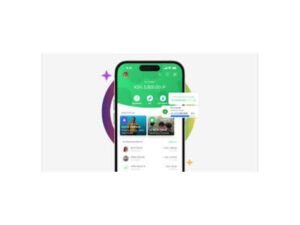
Steps:
-
Download MyAirtel (Android / iOS) and register/log in.
-
Choose Buy Airtime or Buy Bundles.
-
Select Payment method → M-Pesa (or “Pay with Safaricom/M-Pesa”).
-
Enter the Safaricom number for payment if required (some flows ask for your Safaricom number to trigger the M-Pesa prompt).
-
Confirm payment via M-Pesa pop-up (enter M-Pesa PIN).
-
Airtime/bundles are applied instantly.
Tip: The app also shows ongoing promotions and bundle combos (voice + data), which are helpful if you want value for money.
Method C — Third-party merchants & Pay-by-Network services (DPO, resellers)
There are merchant platforms (Pay-by-Network, DPO, Pesapal, other airtime resellers) that let you buy airtime for any network, using M-Pesa to pay. They may use different paybill or till numbers or an online checkout.
Examples & notes:
-
DPO’s Pay by Network and other aggregator services support buying airtime & data across networks via M-Pesa (sometimes via USSD shortcodes like
*544#or via a web checkout that triggers an M-Pesa push). These services are useful if you want to buy for multiple networks from one interface. -
How it works: select Airtel → enter the phone number and amount → choose M-Pesa → confirm via M-Pesa prompt → airtime delivered instantly.
-
Caution: Use only reputable platforms (e.g., Pesapal, DPO, MyAirtel, Airtime-Iko) to avoid lost payments.
Method D — Airtel Money (Airtel users)
If you or the recipient are Airtel customers, you can use Airtel Money USSD (*334#) to buy airtime directly or to send money to M-Pesa. This is relevant if you want to move money between wallets before topping up. Airtel Money is outside the scope if you’re strictly a Safaricom user wishing to top up an Airtel number, but it’s good to know the ecosystem.
3) Fees, limits, and speed — what to expect
Are there charges for the customer when buying airtime through M-Pesa?
-
Buying airtime through M-Pesa is generally free to the customer for many small transactions. Safaricom’s consumer tariff pages list “Buying Airtime through M-PESA” among services that have no customer charge. However, M-Pesa sending fees apply for larger paybill/merchant payments, depending on the amount and merchant configuration, and merchant owners sometimes cover the fees. Always check the M-Pesa prompt, which displays any charge before you confirm.
Typical M-Pesa tariff highlights (what you should know)
-
Transactions below KSh 100 are often free to the customer for paybill/buy-goods flows. For larger amounts, M-Pesa sending fees apply according to Safaricom’s published tariff table. Always confirm the charge shown in the STK prompt before entering your PIN.
Limits & timing
-
Instant delivery: Airtime/top-ups via M-Pesa are usually instant. If it’s delayed, follow the troubleshooting below.
-
Daily/monthly limits: M-Pesa has sending and transaction limits for users depending on KYC level (registered vs fully verified). If you plan bulk top-ups, check Safaricom limits or use a merchant with business API access.
Troubleshooting — common problems & fixes
Problem: I paid, but the Airtel number didn’t get airtime.
Fixes:
-
Check your M-Pesa SMS to confirm the payment went through and note the transaction ID.
-
Confirm you used the correct Paybill and Account (Airtel) number — a single-digit error can send money to the wrong merchant.
-
Wait a few minutes — sometimes network latency or merchant systems cause a delay.
-
If still not credited after 10–15 minutes, contact the merchant (Airtel support or the third-party seller) with the M-Pesa transaction ID. For transactions through the MyAirtel app, use the in-app support.
Fixes:
-
Confirm if you used the Paybill for Airtel or another merchant. If you sent to the wrong account, lodge a complaint at Safaricom with the transaction ID. If you used a third-party reseller, contact their support.
-
Use Safaricom care channels (call 100 or 200) and provide the transaction ID. Safaricom has procedures to trace and reverse where applicable.
Problem: Paybill not accepted / “invalid business number”
Fixes:
-
Double-check the paybill number (e.g.,
220220). If you typed a different paybill (e.g., 322322), confirm which merchant you intended to use. Don’t guess — check the official Airtel/MyAirtel prompt or a trusted merchant page first.
Conclusion
Topping up an Airtel number from an M-Pesa wallet is fast, reliable and widely used across Kenya. The Lipa na M-Pesa Paybill 220220 route is the most common approach; the MyAirtel app provides an even clearer UI if you prefer guided flows. Check M-Pesa prompts for any charges, always confirm the paybill/account details, and keep the M-Pesa transaction ID handy for troubleshooting.
Frequently Asked Questions
Q1: What is Airtel’s paybill number for airtime top-ups from M-Pesa?
A1: The widely published Airtel paybill used for airtime and bundles is 220220. Different resellers may use alternate merchant numbers — always confirm in the MyAirtel app or Airtel official channels before paying.
Q2: Is buying airtime through M-Pesa free?
A2: Buying airtime through M-Pesa is often free for small transactions; Safaricom lists “Buying Airtime through M-PESA” among free services for consumers. For larger payments, standard M-Pesa tariffs may apply; check the M-Pesa prompt for any charge before confirming.
Q3: How quickly does airtime arrive?
A3: Airtime usually arrives instantly. If it doesn’t, wait a few minutes, then contact the merchant or Safaricom with the M-Pesa transaction ID.
Q4: Can I top up an Airtel number from outside Kenya?
A4: International top-ups require either a merchant that accepts international cards/payments or Airtel Money international services. Using M-Pesa directly from outside is not straightforward — consider reputable international airtime sellers.
Q5: What if I entered the wrong Airtel number when paying?
A5: If you sent money to the wrong account, contact the merchant and Safaricom immediately with your transaction ID. Corrections/reversals depend on merchant cooperation and circumstances.
Q6: Can I buy Airtel data bundles with M-Pesa?
A6: Yes — you can buy both airtime and data bundles via the same paybill or through the MyAirtel app. Some third-party platforms also let you pick bundles and pay with M-Pesa.