Facebook has evolved far beyond being just a place to share personal updates with friends and family. For creators, entrepreneurs, and professionals, it now serves as a platform to build an audience, share content widely, and even earn money. One of the most powerful tools to make this possible is Professional Mode.
If you’ve heard of it but aren’t sure how to activate it, or if you’re wondering whether it’s the right choice for you, this guide will explain everything. By the end, you’ll know what Professional Mode is, how to turn it on, and how to use it effectively.
What Is Professional Mode on Facebook?
Professional Mode is a special feature on Facebook that adds creator-style tools to your profile—things like audience insights, monetisation options, safety features, and discoverability enhancements. It’s like turning your regular profile into a mini creator hub—without switching to a separate Page.
Here’s what changes when you activate it:
-
Your friends become followers, and other users can follow you without friending you.
-
You gain access to a Professional Dashboard that provides analytics (insights about reach, engagement, follower growth), monetisation tools, and content controls.
-
You become eligible for money-making features like Stars, in-stream ads (commercials in your videos), Reels bonuses, and even paid subscriptions—depending on eligibility and region.
-
Your content may gain better visibility: profiles with Professional Mode may appear more often in Discover sections or group discussions, and followers can be invited more easily.
-
You’ll also get enhanced tools like comment moderation, filters, and safety settings to keep your presence professional.
In short? Your page turns into a powerful platform—while still keeping your identity, history, and friendships intact.
Who Should Consider This?
Here’s who might benefit most:
-
Content creators, artists, and influencers producing videos, photos, live content, or Reels and aiming to grow their audience.
-
Small business owners or entrepreneurs want to share behind-the-scenes posts, brand stories, or offers with wider visibility.
-
Public figures or community leaders seeking engagement and insights without managing a separate Page.
-
Anyone aiming to monetise content through Stars, ads, or subscriptions.
If your Facebook use is purely personal—chatting with family, sharing life updates—Professional Mode may feel unnecessary. But anything with a hint of public engagement, branding, or creator content? It’s worth exploring.
How to Enable Facebook Professional Mode on Mobile (iPhone & Android)
Most users access Facebook via the app, so we’ll start here. The process is quick—under 2 minutes. Ensure your app is updated to the latest version (as of October 2025, that’s v450+).
Step-by-Step Guide:
- Open the Facebook App: Launch it on your iPhone or Android device and log in if needed.
- Go to Your Profile: Tap the profile picture or your name at the top-right corner (on iOS) or bottom-right (on Android) to view your profile.
- Access the Menu: Tap the three dots (…) next to “Edit Profile” or the pencil icon.
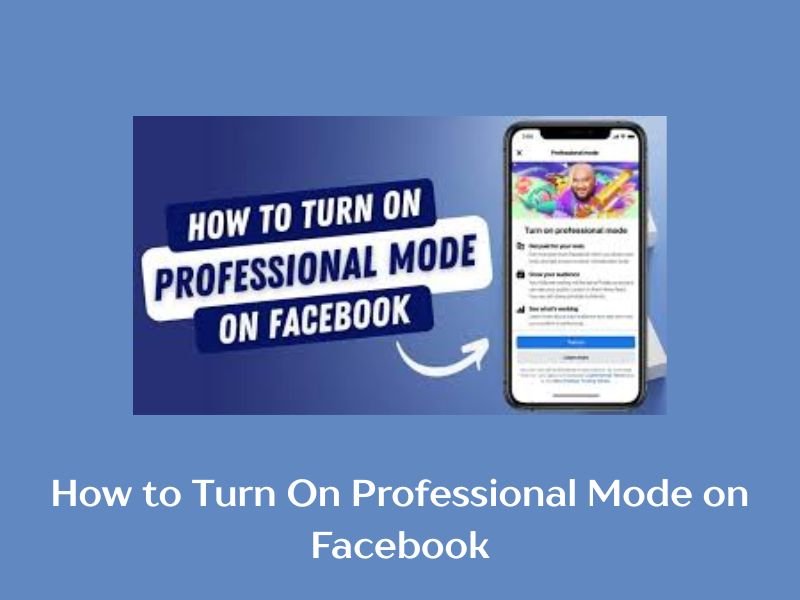
- Scroll and Select Professional Mode: Scroll down the menu until you see Turn on Professional Mode. Tap it.
- Follow the Prompts: Facebook will guide you through setup—choose a category (e.g., “Digital Creator” or “Small Business”), add a bio, and connect any linked Pages. Hit Done to activate.
- Verify Activation: Return to your profile; you should see a new Professional Dashboard tab with insights.
That’s it! Your profile is now in Professional Mode. If you’re on Android, the layout might vary slightly due to screen size, but the steps remain the same.
Pro Tip for Mobile Users: Enable notifications for the Professional Dashboard to get real-time engagement alerts—great for timing posts during peak Nigerian hours (evenings in WAT).
How to Enable Facebook Professional Mode on Desktop
For those who prefer the full Facebook experience on a computer, desktop setup is just as straightforward.
Step-by-Step Guide:
- Log In to Facebook: Head to www.facebook.com in your browser (Chrome, Firefox, or Edge recommended) and sign in.
- Navigate to Your Profile: Click your profile picture in the top-right corner, then select Profile from the dropdown.
- Open Settings: On your profile page, click the three dots (…) below your cover photo, near “Edit Profile.”
- Turn On Professional Mode: In the menu, look for Turn on Professional Mode (it might be under “Tools & Settings”). Click it.
- Complete Setup: Select your category, customise your public info, and click Turn On. Facebook will refresh your profile with new tools.
- Access Insights: Click the Professional Dashboard link that appears on your profile sidebar.
Desktop offers a bigger view for analytics, making it ideal for planning content strategies.
Pro Tip for Desktop: Use keyboard shortcuts (like Ctrl + M for Messenger) alongside Professional Mode to multitask efficiently.
Setting Up After Activation
Once Professional Mode is enabled, Facebook takes you to the Professional Dashboard. Here’s how to start strong:
-
Explore Insights: see follower growth, post reach, engagement rates, and more.
-
Review Monetisation options—like Stars, ad eligibility, or bonuses.
-
Customise your profile with categories (e.g., Digital Creator, Author, Entrepreneur).
-
Adjust privacy settings and safety tools such as comment moderation or filters.
Tip: Use initial setup checklists (if presented) to optimise your profile from the get-go.
What If You Don’t See the Option?
Sometimes, “Turn on Professional Mode” may not appear. Here are common reasons—and how to fix them:
-
App not updated: Make sure your Facebook app is the latest version.
-
Profile issues or policy violations: If your account has community standard warnings or monetization blocks, this option may be locked.
-
Regional rollout delays: Some features may roll out slowly—but Professional Mode is broadly available now.
-
App cache or glitches: Try clearing app cache (on Android) or reinstalling. Avoid using Facebook Lite for this feature.
If nothing works, reach out to the Facebook Help Centre for account-specific help.
Benefits of Using Professional Mode
Here’s why thousands of creators and professionals are switching to this feature:
-
Audience Growth – Followers can engage without sending friend requests, which makes building a large audience much easier.
-
Analytics & Insights – The dashboard provides valuable data about reach, engagement, and follower demographics.
-
Monetisation – Opportunities to earn money through Stars, ads, and other programs.
-
Credibility – A professional label (e.g., “Digital Creator”) makes your profile appear more official and appealing.
-
Safety – Enhanced moderation tools help you manage your community and protect your content.
Things to Keep in Mind Before Turning It On
-
Privacy trade-off: Much of your activity will become public once Professional Mode is activated.
-
Commitment to content: If you don’t plan to use the professional tools, enabling the feature might not add value.
-
Switching back: You can turn off Professional Mode anytime, but you’ll lose access to insights, monetisation, and professional tools.
-
Ongoing updates: Facebook regularly changes monetisation eligibility and features, so stay updated to take advantage of new opportunities.
Tips for Nigerian Creators Using Professional Mode
As a .ng-based site, we love highlighting local angles:
- Local Monetisation: With naira-based payouts via mobile money, aim for Reels on trending topics like Afrobeat or fintech to qualify faster.
- Audience Building: Use insights to target Lagos/Abuja demographics—post in Pidgin for higher engagement.
- Compliance: Follow Facebook’s community standards to avoid demonetization; focus on authentic, value-driven content.
Lastly, professional Mode is one of Facebook’s most valuable features for creators, entrepreneurs, and anyone seeking to grow an audience. It combines the personal feel of a profile with the power of professional tools—without needing to manage a separate Page.
By following the simple steps outlined above, you can activate Professional Mode, explore the dashboard, and start reaching more people today. Whether your goal is growth, engagement, or monetisation, this tool opens the door to new opportunities.
If you’re ready to build your brand, grow your influence, or even start earning from your content, now is the time to turn on Professional Mode on Facebook and take advantage of everything it offers.